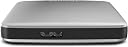
Desertcart purchases this item on your behalf and handles shipping, customs, and support to Japan.
💼 Elevate your workflow with Toshiba Canvio Connect — storage that keeps pace with your hustle.
The Toshiba Canvio Connect 1TB Portable Hard Drive combines a spacious 1TB capacity with USB 3.0 connectivity for fast data transfers. Designed for professionals on the move, it offers seamless compatibility with both PC and Mac without reformatting. Its hardware encryption ensures your backups stay secure, while remote access lets you share files from anywhere. Lightweight and backed by a 2-year warranty, it’s the smart choice for safeguarding your digital assets with style and speed.
| ASIN | B00CGUMSWA |
| Additional Features | Hardware Encryption |
| Best Sellers Rank | #11,526 in Data Storage |
| Brand | TOSHIBA |
| Built-In Media | USB cable, Power adapter, Warranty card, Pogoplug PC software |
| Cache Memory Installed Size | 8 |
| Color | Silver |
| Compatible Devices | Desktop, Tablet |
| Connectivity Technology | USB |
| Customer Package Type | FFP |
| Customer Reviews | 4.6 out of 5 stars 3,117 Reviews |
| Data Transfer Rate | 5 Megabits Per Second |
| Digital Storage Capacity | 1 TB |
| Form Factor | Portable |
| Global Trade Identification Number | 00022265430101 |
| Hard Disk Description | Portable |
| Hard Disk Form Factor | 2.5 Inches |
| Hard Disk Interface | USB 1.1 |
| Hard Disk Rotational Speed | 5400 RPM |
| Hard-Drive Size | 1 TB |
| Hardware Connectivity | USB 3.0 |
| Hardware Platform | Mac, PC |
| Installation Type | External Hard Drive |
| Item Weight | 0.36 Pounds |
| Manufacturer | Toshiba |
| Media Speed | 25-26 gigabits_per_second |
| Mfr Part Number | HDTC710XS3A1 |
| Model Name | Toshiba Canvio Connect |
| Model Number | HDTC710XS3A1 |
| Number of Items | 1 |
| Read Speed | 27 Gigabits Per Second |
| Special Feature | Hardware Encryption |
| Specific Uses For Product | Personal |
| UPC | 803982800565 022265430101 022265796634 |
B**R
Excellent 1TB drive, USB 3.0 speed, uses USB 3.0 cable. But you can also use a USB 2.0 cable just so you know
1TB, lightweight, I velcro this to the cover of my Macbook Pro when traveling. I partition it to be 500GB to be used as Time Machine to backup the internal/startup drive, and use the 2nd partition of 500GB to be additional data... which these days is all above video, TV shows, etc. Works perfectly. The USB cable is just the right length -- which is short, prob 15" total. It's also a USB 3 drive, which means if you have a computer or laptop that has USB 3 ports, then the transfer speed is super fast -- especially for a bunch of large 2GB or larger video files. One thing to understand, which a lot of people don't know, because the industry doesn't explain this: The USB 3.0 port, and it's cable end, are very different from regular USB ports you have been used to. So the USB port on this drive looks different from the Mini USB or Micro USB port you are probably used to from previous portable hard drives. It's done that way in part to identify it as a high speed USB 3.0 drive vs a 2.0 drive. But you only get the high transfer speed using the corresponding new 3.0 cable type at the device end (a hard drive, or an Android tablet or phone, for example), and the other end of the cable looks like a regular USB cable you plug into your laptop or computer in that flat rectangular shape. 2 things to be aware of, but the good news is not to worry! : (A) If your laptop or computer is pre-2013 or so, it is very likely that the USB speed system of your computer's USB ports is USB 2.0, and not the faster 3.0 . But that's OK, you can still use these great lightweight and high capacity drives! *I* do. My MacbookPro is older, and uses USB 2.0, but I use this drive and everything works perfectly, no problem whatsoever! ... The only thing I need to understand (and I do!) is that I won't get USB 3.0 superfast data transfer speeds -- because my Macbookpro was not built with that speed capacity. So, even though my new Toshiba drive is "USB 3.0", and I am using the correct "USB 3.0 cable", everything works fine but the data is still only going to travel at USB 2.0 speeds. So, just know that having a USB 3.0 drive does not, in itself, "upgrade" the speed of your data transfer. It DOES do that IF your computer/laptop also has USB 3.0 ports. You're probably asking "how the hell do I know?" ... and the answer is: If you're techy you know how to find that out, but if you're not, just don't worry about it because it doesn't change anything. But a good gauge to use is this: Is my computer as new as 2013? If so, you probably have USB 3.0 ports. If older, you probably have USB 2.0 ports. (B) The other thing NO ONE tells you! --- If you've looked everywhere but you've misplaced the special USB 3.0 cable that came with this TOSHIBA drive, you are not dead in the water! You can still use it with a MICRO USB cable -- the kind you have used to hook up to a previous portable hard drive -- or connect to your Android phone or tablet (Apple of course uses its own propriety cable forcing everyone to pay more to lock into their system). One end of the cable is the regular looking flat-horizontal slot that fits into your laptop or computer... and the other end is really small and flat. I did not know this until it was explained to me -- and then I thought, "wow, that's pretty cool!". This MICRO-USB cable will fit & slot right into the larger width section of the USB-3 cable port on your Toshiba drive (or your phone, etc). So, USB 3 ports were very carefully designed to combine the shape/size of the MICRO-USB cable + an additional new section adjacent to it. (This will only make sense if you are looking at a USB 3.0 cable or port -- so don't even try to follow along with this if you are not doing that, it is just a bunch of babble otherwise.) So, if you don't have a USB 3.0 cable, you can always substitute and use a MICRO-USB cable to connect the USB 3.0 device to your computer or laptop. It works! By design! But just remember: If you use this Micro-USB SUBSTITUTE cable, everything works beautifully. There is no issue at all. There's no problem. You just have to understand that the data will travel at USB 2.0 speeds, and not at 3.0 speeds. .... But you see, for people like me who are using these portables with a USB 2.0 Computer or laptop, the highest speed I can get out of the TOSHIBA drive is USB 2.0 anyway, so, using the Micro-USB cable doesn't make me lose any transfer speed in my case. It only will slow you down IF your computer or laptop has USB 3.0 speeds. Do you follow? :) I hope so. The bottom line is: Don't worry! These drives are great. And don't let USB 3.0 confuse you. It's an added advantage when your computer or laptop has 3.0 built into it.... and when your computer/laptop is older, then this drive works exactly as if it were a USB 2.0 drive in terms of data transfer speeds. I hope that helped at least ONE person out there. It will have made typing this out worth it :)
E**T
EB: Engage in Review of Toshiba Canvio Connect 2TB Portable Hard Drive, Black (HDTC720XK3C1)/Outstanding HDD
EB: Engage in Review of Toshiba Canvio Connect 2TB Portable Hard Drive, Black (HDTC720XK3C1) OK good Evening You all. This is a Review for the Toshiba canvio connect 2 TB version. Remember to always, always, check really , really well what you are buying. Most problems with these things could be avoided with just a little patience from the buyer! Also, safety first! Also, investigate before buying your stuff, Not after! OK first things first: Physically , the Hard drive is gorgeous! It is Small, fitting in my palms without exceeding my fingers. It has a black shiny finish front and back. The border of the Hard drive is Black and with a glossy finish. It came with a USB 3.0 30 cm Cable. The top of the hard drive has the mark of the disk manufacturer, *TOSHIBA* in white bold visible letters. Also, it has the indicator led for when the disk is Reading/Writing. The Underside of the disk has the serial of the disk ad contact information from/for the manufacturer. Also, it contains 4 little stumps made from really soft plastic that act as some sort of footing for the Hard disk for it to not slide or fall from any surface.The border of the Hard disk contains the USB 3.0 connection port plus the power port. The Cable also came with a label detailing part number and serial number just in case, i guess , you need to buy another one. About the disk, Internally Speaking, it is Really big. It came with , and i quote windows system properties: 1.8 TB free And about 408 MB of used Space. The discrepancy in size is clearly Because of the way Disk manufacturers measure the GB unit, but that doesn't matter to me right now, so, baloney i say. The disk came Pre-formatted as NTFS. This shouldn't be a problem for anyone, but in the rare case there is a problem, i would suggest to Check the disk and use it in another computer, at least 3 of them to be sure. If You are using it with a MAC there is the slight possibility for the system to be able to detect/use the disk. That might be a formatting Problem, Try formatting it to FAT32 OR FAT in another computer, PC preferably . About the Unit: My unit was Listed as Used from a store just because it was a open box. I must say i am very glad and really happy that i put my trust on them because the disk is just perfect, and it really looks like new. i really don't see what is the used with that but, just putting it out there , for those of you who might want a little discount on price for the same functionality . Now, About Using this little wonder. My intended use is for it to be a remote storage for all my home computers files. It will be connected mainly to a wireless router to serve man (hehehe). Why is that you ask? Because of the presentation of the disk, it seems its intended use is to be static at home/office. It can be taken anywhere but from the design point of view, it really seems to me that it was designed for home/office use with a low mobility in mind. That was my intended use so it is OK. The main reason i am stressing the mobility point is because of the USB 3.0 cable. Unless, you buy another, more flexible and larger one, this lil pal mobility is gonna be severely impeded for your irregular user . Another of the reasons i stress this point is because the connection point from the Hard disk to the cable seems to be very sensitive to movement . I would not recommend it so that's it. Now, the juicy bits. I executed a stress test With Crystal Mark Software. Remember, These tests tend to vary slightly with your hardware, so don't read too much into it . These are the results: ----------------------------------------------------------------------- CrystalDiskMark 3.0.3 x64 (C) 2007-2013 hiyohiyo Crystal Dew World : http://crystalmark.info/ ----------------------------------------------------------------------- * MB/s = 1,000,000 byte/s [SATA/300 = 300,000,000 byte/s] Sequential Read : 34.367 MB/s Sequential Write : 30.342 MB/s Random Read 512KB : 21.082 MB/s Random Write 512KB : 28.544 MB/s Random Read 4KB (QD=1) : 0.469 MB/s [ 114.5 IOPS] Random Write 4KB (QD=1) : 1.193 MB/s [ 291.2 IOPS] Random Read 4KB (QD=32) : 0.533 MB/s [ 130.2 IOPS] Random Write 4KB (QD=32) : 1.085 MB/s [ 264.9 IOPS] Test : 1000 MB [G: 0.0% (0.4/1862.9 GB)] (x5) Date : 2015/01/16 17:51:24 OS : Windows 7 Professional SP1 [6.1 Build 7601] (x64) Now, Before you go all: *Aw mah gawd those speeds suck* on me, I must say one thing. I have this little champion in here connected to a USB 2.0 port. Why? Because i have no USB 3.0 ports. So now, you know it works with USB 2.0 too! also, you people know that my computer system must suck big balls! , but that's not your problem so shut the hell up hehehe! OK, what else to say? Not much. Ill be updating this review in approximately 5 months or 1 year. I am really excited about this little Hard drive and i really hope it works as expected! Now goodbye to you all and i really hope that This review helped you people to make a better decision. If anything here is wrong let me know in the comments section. Bye bye!
N**N
Works wonderfully.
This hard drive is rather more compact than I was expecting, which is great for it's portability. It comes with some backup software and a few other optional things on it that you may or may not need. If you're using Vista, be warned that the backup software (which is optional to install) really slowed my old hunk of junk laptop down to the point where I had to uninstall it. You're better off just copying over files as needed anyway. So I purchased this to do a transfer of data from my old clunker of a laptop to a new one. The end result is that I have seen the transfer speeds on both USB 2.0 and USB 3.0. With USB 2.0 the transfer rate was SLOOOOOOWWWW when you have huge piles of data in the GB+ range. I mean, like reminiscent of downloading updates on Windows 98 with dialup slow. Like set it, go get make a sandwich, eat it, and then come back and it might be done. (then again, that backup software might have been interfering and trying to backup the transfer while I was transferring it. It wasn't too bright.) With USB 3.0, transfers moved rather noticeably faster, like, 10+ GB moved in under a minute or so faster. No noticeable bogging down of resources (then again, new laptop with Windows 8 [don't get me started on Windows 8]). I'm currently using this harddrive as storage space for all of my entertainment that may or may not have been acquired with peer to peer networking. It may be storing just 2TB of cat pictures YOU DON'T KNOW. At any rate, in whichever capacity it is being used, the hard drive works wonderfully. MY ONE COMPLAINT was the free super saver shipping took two weeks and for some reason shipped from Las Vegas through Ontario to New Hampshire. Weird. (so you might want to spend a buck or two to get it home faster)
R**M
Good drive, especially for the price
I needed a new external drive because the card went out on my older one. Ideally I wanted one with Firewire. But, couldn't find any without paying an arm and a leg. But, since this had USB3, I figured I was OK. I've been using it now for a couple of years, or thereabouts, and have had no issues with it. Normally, I'm leery about anything Toshiba, and generally try and stay away from it. But, the price was competitive vs. the WD Passport, or the other drive I was considering (which I can't remember the name of). Over that time it's been formatted for ext3 (linux), hfs+ (Mac) and NTSF (Windows) depending on what I was doing with it. I've also partitioned it so that I could have multiple volumes, and have never had issues accessing any of the partitions. My biggest complaint is the soft neoprene case which comes with it. It's absolutely worthless other than as a slip case to protect the drive's finish. I'd suggest buying something like an Amazon Basics case for carrying it around. That protects the drive much better. I'd definitely recommend this drive to someone.
O**S
Buying a hard drive can be a crap shoot. All hard drives fail in time
Buying a hard drive can be a crap shoot. All hard drives fail in time. The trick is to try and find one with the best track record. I needed a 1TB portable to simply drag and drop music, pics, vids and documents to so I could free up some space on my laptop. I had been trying to decide between a WD and a Seagate for about a week. I read numerous reviews online complaining about some issues with both. I decided against the WD drive because of all the complaints about being locked into using their loaded software, faulty cables, and poor customer service and 1 year warranty. The Seagate Backup Plus 1 TB had some complaints about suddenly not being recognized by windows after dismounting and remounting so I started looking at the Canvio Connect. If you read the reviews it's obvious that the Canvio has some complaints as well, but since it was on sale locally for less than I could buy it from Amazon I grabbed one. So far so good. I've had the 1TB Canvio Connect plugged in for 3 days now to my 3 year old Windows 7 laptop with USB 2.0 ports. I've transferred, deleted and re-transferred 75GB's of MP3's. I've had it hooked up directly to the USB port and also through a cheap Belkin 4 port USB hub. The transfer rate (USB 2.0) for me is 13MB/s. The drive is nearly silent, did not get warm during transfers and so far has given me zero issues. I am not using the included software. I may check it out but for now I am simply dragging and dropping files onto the drive. I went with 4 stars because of the local sale price (64.99) and the plug and play simplicity I've experienced so far. I'll come back in a year and give it 5 stars if it's been reliable.
E**N
Excellent external hard drive
Excellent external hard drive, very good capacity and durable.
F**Z
Super practico y seguro
Su capacidad es increíble super práctico para resguardar tus archivos mas importante su tamaño es pequeño y ligero
D**0
Nice and Thin plus Works Great!
Just received today to replace my failed Seagate GoFlex(that I literally used less than 20 times over 3 years - piece of crap!). Anyway, plugged this thing in today and backed up images from 3 computers plus all my files. No problems and the thing runs nice and quiet. I was surprised at how thin and small it is as it is literally half the width of my old Seagate GoFlex and maybe a half inch smaller in length too. The design is nothing spectacular but I like thing simple so it was perfect for me. Anyway, I am happy so far and I just hope it lasts longer than my old Seagate piece of crap did(I will NEVER buy their junk again!). One small CON would be the cord. For some reason it doesn't fit nice and snug like all my other USB cords do. I keep feeling it as I am afraid it will wiggle loose in the middle of a download but it hasn't. Not sure why it's not snug but I think my old Seagate cord will fit this Toshiba hard drive so I may just use that cord for piece of mind. But, hey, if that's the only CON this thing has long-term than I will be extremely happy.
H**P
So far so good. Has support for both Windows and Mac OSX ...
So far so good. Has support for both Windows and Mac OSX which is a big plus for me. I previously had a WD and it was a nightmare on OS X.
E**A
OK !!!
Ho comprato Toshiba Canvio Connect 2TB per effettuare Backup. Non sono una esperta perciò posso solo dire che Canvio è un disco con una buona capienza e buona velocità di scrittura. Per adesso si comporta molto bene. Al interno troverete SOFTWARE: 1.Il software NTI® Backup Now EZ(tm) precaricato esegue il backup e il ripristino di file. Archiviazione in locale o sul cloud ( 10 gb di spazio) 2. Il driver NTFS per Mac integrato consente di utilizzare l'unità Canvio Connect su entrambe le piattaforme Windows PC e Apple Macintosh 3.Software di accesso remoto, puoi accedere a tutti i file presenti nell'unità Canvio Connect da qualsiasi luogo mediante un dispositivi mobile. ( Il PC deve essere acceso o in modalità standby). Per adesso ho usato solo NTI e devo dire che è semplice da usare, intuitivo e funziona alla grande. Potete programmare i vostri backup giornalmente, settimanalmente o 1 volta al mese. Hard Disk si presenta bene, ha 4 piedini di gomma, arriva con il cavetto USB 3.0. Io lo consiglio, d'altronde non saprei cosa aspettarmi in più da un HD esterno. Per le mie esigenze va più che bene.
J**S
Très satisfait pour un premier achat chez Amazon
Je suis très satisfait de mon achat. La réception à été plus rapide que la prévision. Le disque répond parfaitement à mes attentes, très bel aspect esthétique et très bonne rapidité d'exécution.
C**N
EXCELENTE DISCO DURO
Compré este disco en diciembre y lo tengo como disco multimedia en mi ps4...funciona perfecto!!! obviamente tambien lo puedes usar en xbox one....bastante capacidad por el precio, es pequeño y no necesita estar conectado a la corriente ya que se alimenta por usb, lo recomiendo para cualquier persona que busque un disco de buena calidad y tamaño.
S**S
Muy bueno
Funciona muy rápido, con puerto USB 3.0 copiar el contenido del disco duro ha sido de lo más fácil hasta ahora.
Trustpilot
5 days ago
4 days ago